1. 拉取镜像
docker pull nginx:1.10

mkdir -p /opt/module/docker-fileserver/{conf,html,logs,files}
|
2. 配置文件
vi /opt/module/docker-fileserver/conf/nginx.html

user  nginx;
worker_processes  auto;

error_log  /var/log/nginx/error.log warn;
pid        /var/run/nginx.pid;

events {
    worker_connections  1024;
}

http {
    include       /etc/nginx/mime.types;
    default_type  application/octet-stream;

    # 自定义日志格式
    log_format  main  '$remote_addr - $remote_user [$time_local] "$request" '
                      '$status $body_bytes_sent "$http_referer" '
                      '"$http_user_agent" "$http_x_forwarded_for"';

    access_log  /var/log/nginx/access.log  main;

    sendfile        on;
    keepalive_timeout  65;

    # 文件服务器配置
    server {
        listen       80;
        server_name  localhost;

        # 文件下载路径(指向宿主机 files 目录)
        location /files {
            alias /usr/share/nginx/files;
            autoindex on;                  # 启用目录列表
            autoindex_exact_size off;       # 显示文件大小(KB/MB)
            autoindex_localtime on;         # 显示本地时间
            charset utf-8;                  # 避免中文乱码
        }

        # 自定义下载页面(指向宿主机 html 目录)
        location / {
            root   /usr/share/nginx/html;
            index  index.html;
            charset utf-8;                  # 避免中文乱码
        }
    }
}
|
vi /opt/module/docker-fileserver/html/index.html

<!DOCTYPE html>
<html lang="zh-CN">
<head>
    <meta charset="utf-8">
    <meta name="viewport" content="width=device-width, initial-scale=1.0">
    <title>文件下载中心</title>
    <style>
        * {
            box-sizing: border-box;
            margin: 0;
            padding: 0;
            font-family: 'Segoe UI', 'Microsoft YaHei', sans-serif;
        }
        body {
            background-color: #f5f7fa;
            color: #333;
            line-height: 1.6;
            padding: 20px;
            max-width: 1200px;
            margin: 0 auto;
        }
        header {
            text-align: center;
            padding: 30px 0;
            border-bottom: 1px solid #e1e4e8;
            margin-bottom: 30px;
        }
        h1 {
            color: #2c3e50;
            font-size: 2.5rem;
            margin-bottom: 10px;
        }
        .description {
            color: #7f8c8d;
            font-size: 1.1rem;
            max-width: 800px;
            margin: 0 auto;
        }
        .card {
            background: white;
            border-radius: 10px;
            box-shadow: 0 5px 15px rgba(0,0,0,0.05);
            padding: 25px;
            margin-bottom: 30px;
        }
        .card h2 {
            color: #3498db;
            margin-bottom: 15px;
            padding-bottom: 10px;
            border-bottom: 2px solid #f0f3f5;
        }
        .file-access {
            display: flex;
            justify-content: space-between;
            flex-wrap: wrap;
            gap: 20px;
        }
        .access-box {
            flex: 1;
            min-width: 300px;
            background: #f8f9fa;
            border-radius: 8px;
            padding: 20px;
            border-left: 4px solid #3498db;
        }
        .access-box h3 {
            margin-bottom: 10px;
            color: #2c3e50;
        }
        .path {
            background: #e3f2fd;
            padding: 8px 15px;
            border-radius: 5px;
            font-family: monospace;
            word-break: break-all;
            margin: 10px 0;
        }
        .btn {
            display: inline-block;
            background: #3498db;
            color: white;
            padding: 10px 20px;
            border-radius: 5px;
            text-decoration: none;
            font-weight: bold;
            margin-top: 10px;
            transition: all 0.3s ease;
        }
        .btn:hover {
            background: #2980b9;
            transform: translateY(-2px);
            box-shadow: 0 4px 8px rgba(0,0,0,0.1);
        }
        .instructions {
            margin-top: 30px;
        }
        .instructions li {
            margin-bottom: 10px;
            padding-left: 20px;
            position: relative;
        }
        .instructions li:before {
            content: "•";
            color: #3498db;
            position: absolute;
            left: 0;
            font-weight: bold;
        }
        footer {
            text-align: center;
            margin-top: 50px;
            color: #7f8c8d;
            padding: 20px 0;
            border-top: 1px solid #e1e4e8;
        }
        @media (max-width: 768px) {
            .file-access {
                flex-direction: column;
            }
            h1 {
                font-size: 2rem;
            }
        }
    </style>
</head>
<body>
    <header>
        <h1>文件下载中心</h1>
        <p class="description">安全、高效的文件共享服务,支持直接下载和目录浏览</p>
    </header>

    <main>
        <div class="card">
            <h2>文件访问</h2>
            <div class="file-access">
                <div class="access-box">
                    <h3>文件目录</h3>
                    <p>浏览所有可用文件:</p>
                    <div class="path">/files</div>
                    <a href="/files" class="btn">浏览文件列表</a>
                </div>

                <div class="access-box">
                    <h3>直接下载</h3>
                    <p>使用完整路径直接下载:</p>
                    <div class="path">/files/文件名</div>
                    <a href="/files" class="btn">查看示例</a>
                </div>
            </div>
        </div>

        <div class="card">
            <h2>使用说明</h2>
            <ul class="instructions">
                <li>上传文件到服务器 <code>/opt/module/docker-fileserver/files</code> 目录</li>
                <li>文件将自动出现在文件列表中</li>
                <li>点击文件名可直接下载</li>
                <li>支持中文文件名和大型文件下载</li>
                <li>当前服务端口:<strong>8888</strong></li>
            </ul>
        </div>
    </main>

    <footer>
        <p>© 2023 文件共享服务 | 由 Nginx 提供支持 | 版本 1.10</p>
        <p>服务器: 192.168.100.38:8888</p>
    </footer>
</body>
</html>
|
3. 启动
docker run -d \
  --name docker-fileserver \
  --restart=always \
  -p 8888:80 \
  -v /opt/module/docker-fileserver/conf/nginx.conf:/etc/nginx/nginx.conf \
  -v /opt/module/docker-fileserver/html:/usr/share/nginx/html \
  -v /opt/module/docker-fileserver/logs:/var/log/nginx \
  -v /opt/module/docker-fileserver/files:/usr/share/nginx/files \
  nginx:1.10
|
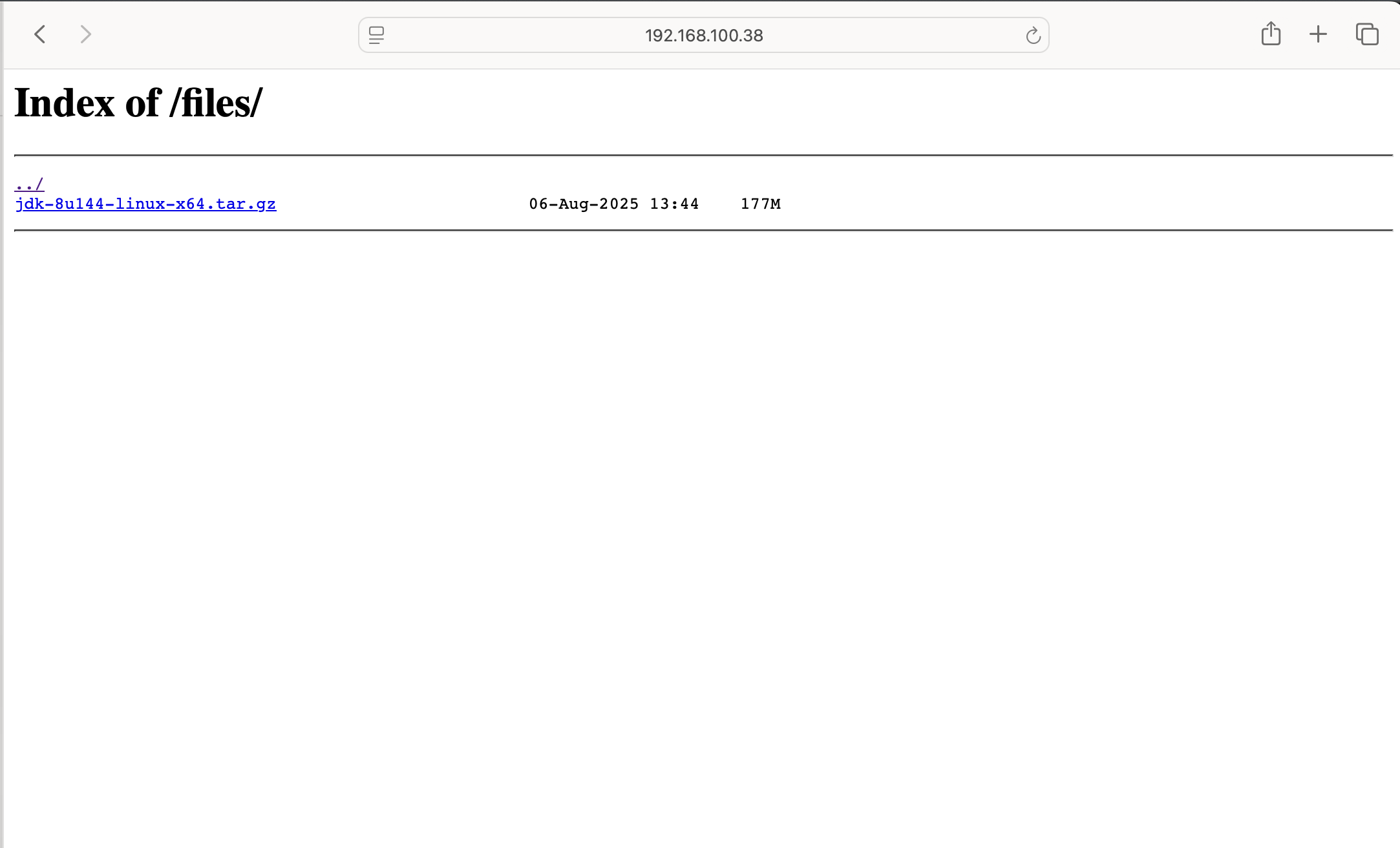
4. 使用
http://192.168.100.38:8888/files/
[root@localhost software]
--2025-08-06 22:53:05-- http://192.168.100.38:8888/files/jdk-8u144-linux-x64.tar.gz
正在连接 192.168.100.38:8888... 已连接。
已发出 HTTP 请求,正在等待回应... 200 OK
长度:185515842 (177M) [application/octet-stream]
正在保存至: “jdk-8u144-linux-x64.tar.gz”
100%[========================================================================================================================================>] 185,515,842 328MB/s 用时 0.5s
2025-08-06 22:53:06 (328 MB/s) - 已保存 “jdk-8u144-linux-x64.tar.gz” [185515842/185515842])
|